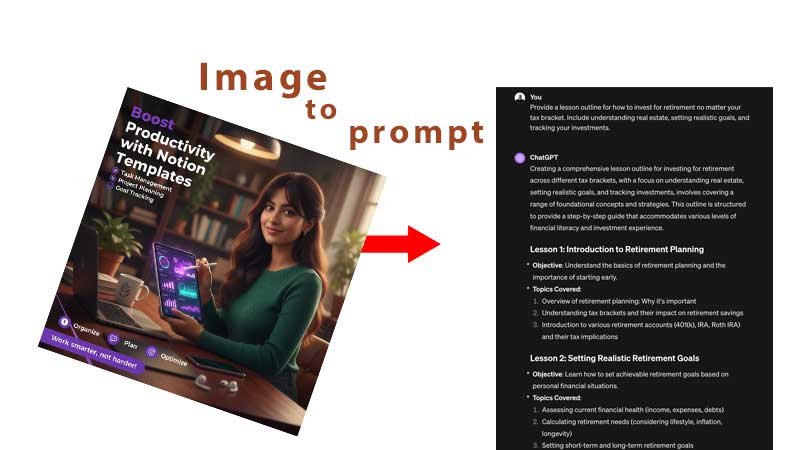
Have you ever found an image you love and wondered how to recreate its style with AI?
An image to prompt tool can help. Instead of starting with a blank text box and trying to describe an image yourself, AI analyses the visual information in an image and converts it into a detailed, reusable prompt.
With Repurpi’s Image to Prompt tool, you can upload a reference image and generate prompts based on its subject, composition, lighting, colour, mood, style and other visual characteristics. The result can then be adapted for popular AI image generators including ChatGPT, Midjourney, Flux, Stable Diffusion, Gemini and Ideogram.
What Is an Image to Prompt Generator?
An image to prompt generator is an AI-powered tool that analyses an image and transforms its visual characteristics into written instructions for an AI image generator.
Traditional AI image generation works like this:
Text prompt → AI → Image
Image-to-prompt technology works in the opposite direction:
Image → AI analysis → Prompt
The generated prompt can describe elements such as the main subject, composition, lighting, colour palette, camera characteristics, artistic style, atmosphere, textures and typography.
This makes image-to-prompt tools particularly useful when you have a visual reference but don’t know how to describe it using the terminology that AI image generators understand.
How Does Image to Prompt Work?
Repurpi’s workflow is designed around three main stages: upload, analyse and generate.
1. Upload an Image
Start by uploading a reference image. Repurpi supports common formats including JPG, PNG, WEBP, GIF and BMP, with images up to 10 MB.
Your image could be a photograph, digital artwork, product image, advertisement, character design, poster, social media graphic or another visual reference.
2. Analyse the Image
The AI examines the visual information in the image and extracts important characteristics.
Repurpi’s analysis includes elements such as:
- Subject
- Composition
- Camera
- Lighting
- Colour
- Style
- Mood
- Texture
- Typography
These elements are combined into a canonical visual specification that can then be converted into different prompt formats.
3. Generate and Edit Your Prompt
The resulting prompt can be copied, downloaded or edited. This gives you a starting point that you can refine rather than having to write a detailed prompt from scratch.
Repurpi also supports structured outputs such as JSON, JS, YAML, Markdown and XML, which can be useful for developers and people building AI-powered workflows.
What Can You Do With an Image to Prompt Tool?
The biggest advantage of an image-to-prompt generator is that it turns a visual reference into something you can work with.
Create a Similar Image
If you have a reference image with an interesting composition, lighting setup or visual style, you can use the generated prompt as the foundation for creating an original image.
Repurpi’s Create a Similar Image option is designed to preserve important visual characteristics such as composition, lighting, style and mood while allowing you to create an original result.
Create an Original Variation
Sometimes you don’t want to reproduce the exact subject. You may simply like the overall visual direction.
The Original Variation option focuses on the image’s visual DNA, including elements such as colour harmony, composition and mood, while reducing emphasis on exact subject details.
This can be particularly useful for designers, marketers and content creators looking for new creative directions.
Analyse an Image in Detail
Image-to-prompt technology can also be used as a learning tool.
Repurpi’s Deep Analysis mode provides a technical breakdown of observable visual attributes. This can help you understand why an image looks the way it does and which elements contribute to its overall appearance.
Remix or Edit an Image Concept
Another useful application is image remixing.
You can analyse an existing image and then generate instructions for changing elements such as the subject, background, lighting or visual style.
For example, a product photographer could analyse an existing product scene and then create a variation with a different background or lighting direction.
Image to Prompt for Midjourney, ChatGPT, Flux and More
One challenge with AI image generation is that different models can respond differently to prompts.
A generic description may not be the best format for every model.
Repurpi lets you select the target platform and generates different prompt styles for:
- ChatGPT / DALL·E
- Gemini / Imagen
- Midjourney
- Flux
- Stable Diffusion
- Ideogram
- Generic / Universal
For example, Midjourney prompts can use its parameter syntax, while Stable Diffusion can use comma-separated tags and weights. ChatGPT and Gemini can use more natural-language descriptions.
This model-specific approach can save time when moving a visual idea between different AI platforms.
Can AI Recover the Original Prompt From an Image?
Not necessarily.
An important distinction is that an image-to-prompt generator does not normally recover the exact original prompt that created an image.
Many different prompts can produce visually similar results. The AI therefore analyses the visible evidence in the image and creates a new prompt designed to describe or reproduce those characteristics.
This is better understood as reverse engineering a useful prompt, rather than discovering the original creator’s exact wording. Other image-to-prompt services make the same distinction between reconstructing a useful prompt and recovering hidden original wording.
Who Should Use an Image to Prompt Generator?
Image-to-prompt tools can be useful for a wide range of users.
AI artists can analyse reference images and develop new prompts.
Graphic designers can study composition, colour and visual style.
Content creators can turn visual inspiration into repeatable AI workflows.
Marketers can experiment with different creative concepts and advertising imagery.
Photographers can analyse lighting, composition and camera characteristics.
Developers can use structured formats such as JSON, JS or YAML to incorporate image analysis into automated workflows.
Is Repurpi Image to Prompt Free?
Repurpi provides an image-to-prompt interface where you can upload an image and select the type of analysis and target AI model you want to use. The page states that uploaded images are analysed on the server and not stored, while generated prompts can be copied for use elsewhere.
For anyone working with private or commercially sensitive images, it is still sensible to review the current privacy and processing information before uploading confidential material.
Why Use Image to Prompt Instead of Writing a Prompt From Scratch?
Writing a detailed AI image prompt manually can take considerable time, particularly when you need to describe lighting, composition, colour, camera characteristics and artistic style.
An image-to-prompt generator gives you a visual starting point.
Instead of asking:
“How do I describe this image?”
you can ask:
“What visual characteristics should my AI prompt contain?”
That shift makes the creative process faster and gives you an editable foundation that you can refine.
Try Image to Prompt With Repurpi
If you have an image that inspires you, you don’t have to spend hours trying to describe it.
Repurpi Image to Prompt lets you upload a reference image, analyse its visual characteristics and generate reusable prompts for different AI image-generation platforms.
Whether you want to create a similar image, develop an original variation, understand an image’s visual structure or build a repeatable AI workflow, image-to-prompt technology provides a practical bridge between visual inspiration and text-based AI creation.
Upload an image, analyse its visual DNA, generate your prompt, and start creating.